A good email signature is a short, readable contact block that helps the recipient identify you and choose the next useful action. Start with your name, role and one or two relevant contact details. Add a small logo or handwritten mark only when it improves recognition without slowing the message or hiding essential information inside an image.
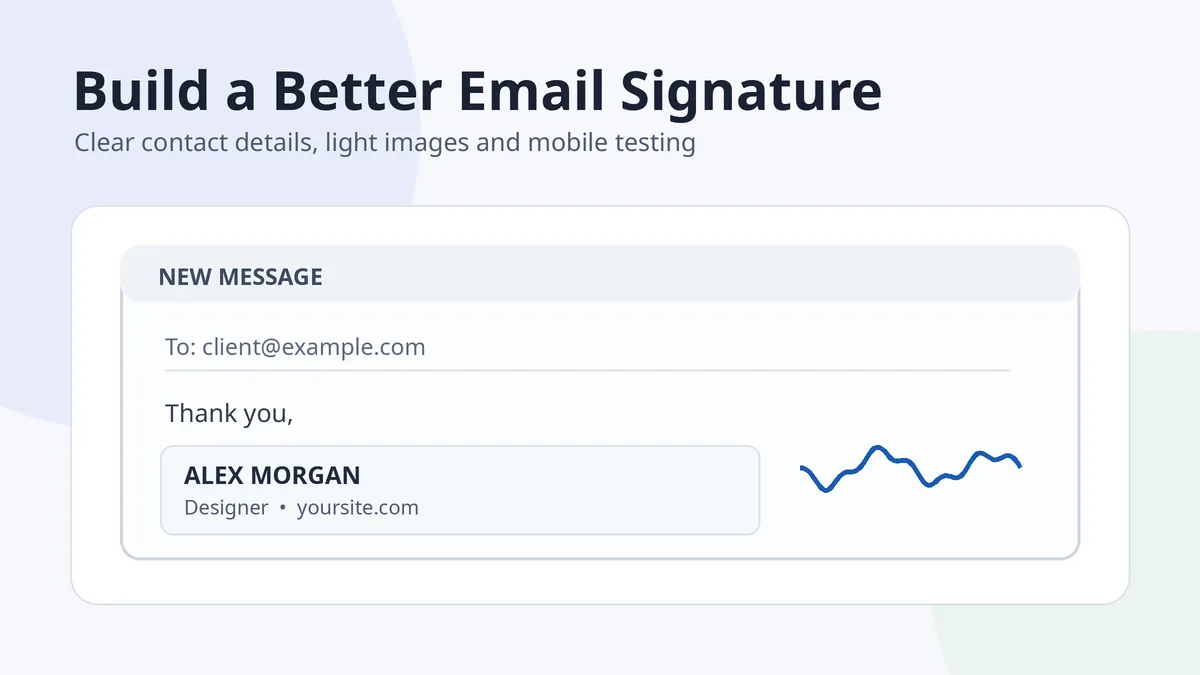
This type of signature is an email footer. It does not sign a contract, prove identity or replace a document e-signature. Keeping that distinction clear prevents a design article from making security claims the footer cannot support.
In this guide
What to include in an email signature
| Priority | Element | Guidance |
|---|---|---|
| Essential | Name | Use the form of your name recipients recognize |
| Usually useful | Role and organization | Give enough context without copying an entire profile |
| Choose one or two | Phone, website or booking link | Include only contact routes that support the email purpose |
| Optional | Logo, headshot or handwritten mark | Keep it small and never place all important text inside it |
| Optional | Social profiles | Use only relevant, maintained profiles |
| Situational | Address, registration details or disclaimer | Add only when required by the organization or context |
A personal freelancer may need a name, service and portfolio link. A company employee may need a title, company and phone number. A short reply signature may need only a name and role. There is no benefit in making every version equally long.
Build a clean, professional email signature
- Write the content in plain text first. Remove anything that does not help the recipient.
- Create a clear hierarchy. Make the name slightly more prominent, then keep the remaining lines consistent.
- Use one common font family. Email clients may substitute unusual fonts.
- Keep the width mobile-friendly. Avoid wide banners and multi-column layouts that collapse badly.
- Make links descriptive. “Portfolio” or “Book a call” is clearer than a long raw URL.
- Create a shorter reply version. Repeating a large block through a long thread adds clutter.
The message is the main content. The signature should support it, not compete with it.
A practical text structure
Alex Morgan
Product Designer, Example Studio
Portfolio: yoursite.com
Phone: +1 555 0100
This four-line structure is enough for many professional messages. Add a logo or mark beside it only after the text version works on its own.
Use images without making the signature fragile
- Keep key details as text. Recipients can copy, search and read them when images are blocked.
- Resize before uploading. Do not rely on the email editor to shrink a huge original.
- Use descriptive alt text. A logo might use the organization name; a decorative handwritten mark can use a short description.
- Avoid image-only signatures. They are less accessible and often fail in replies or dark mode.
- Test transparent graphics. A dark signature image may disappear against dark backgrounds unless it has sufficient contrast.
For Gmail specifically, Google’s current troubleshooting guidance recommends signature images around 70–100 pixels high and 300–400 pixels wide, with a stated maximum of 100 pixels high by 1000 pixels wide. Treat that as a useful Gmail starting point rather than a universal rule for every mail client.
Google explains those limits in its official Gmail signature troubleshooting guide. Prepare a clean handwritten accent with the signature image creator rather than pasting a photograph of paper.
Install the signature in your email service
Most email services provide a signature editor under settings. Paste or build the simple version first, assign it to the correct account, then choose whether it appears on new messages, replies or both.
- Outlook: follow the dedicated Outlook signature guide because new Outlook, classic Outlook, web, Mac and mobile use different settings paths.
- Gmail: use the Gmail signature guide for desktop and mobile behavior.
- Other clients: look for Settings, Mail, Compose or Signatures, then send a test to an external account.
Test before using it widely
- Send to desktop and mobile. Check wrapping and tap targets.
- Test light and dark mode. Confirm that text and transparent images remain visible.
- Reply several times. Make sure the signature does not dominate the thread.
- Click every link. Check phone, website and booking links.
- View with images disabled. The name and contact details should still make sense.
Common email signature mistakes
| Mistake | Why it hurts | Better approach |
|---|---|---|
| Too many contact details | The recipient cannot see the next useful action | Keep one or two relevant routes |
| A large banner or headshot | Adds weight and dominates mobile screens | Use a small optimized image or no image |
| Every line in a different colour or font | Looks inconsistent and renders unpredictably | Use a restrained hierarchy |
| Long quotations and disclaimers | Creates repeated clutter | Include only required text |
| All information inside one image | Becomes inaccessible and can be blocked | Use real text plus an optional graphic |
| Same large signature on every reply | Makes threads harder to scan | Create a shorter reply version |
An email signature is separate from the handwritten name signatures covered in the signature examples gallery. Use a handwritten mark as branding only when it fits the identity and remains readable at a small size.
Frequently asked questions
How long should an email signature be?
For many professional messages, four to six concise lines are enough. Add only details that help the recipient understand who you are or contact you.
Should I include my email address in my email signature?
Often the sender address is already visible, so repeating it may be unnecessary. Include it when messages are commonly forwarded or when your organization requires it.
Can I use a handwritten signature image in email?
Yes, as a small branding accent. Keep your name and contact details as real text and do not present the image as proof of document signing.
Why does my email signature look different on mobile?
Email clients use different rendering engines, screen widths and font substitutions. Use a simple layout, avoid wide tables and test several clients.
What is the best image size for an email signature?
There is no universal size. A practical starting point is roughly 300–400 pixels wide and 70–100 pixels high for a small signature graphic; resize before upload and test the final email.
Do I need a legal disclaimer?
Only when your organization, industry or specific context requires one. A generic disclaimer added to every message can create clutter without adding practical value.

Add Comment